Server Splitter
Splits allow you to run multiple instances on your server at one time.
note
Example: While running a 12GB server, you can allocate 8GB of RAM to your GTNH run while using the remaining 4GB to run a Factorio server for you and your friends.
Overview
Server splitting is available on all of our servers with at least 8GB of RAM.
4GB of RAM is the lowest amount you can give a split.
The amount of splits you can create are broken down below based on your Servers RAM.
| RAM | # of Splits |
|---|---|
| 6GB | 0 |
| 8GB | 1 |
| 12GB | 2 |
| 16GB | 3 |
Creating a Split
- Log in to the Reizor Panel
- Navigate to your server
- Click on "Splitter" to view current Splits.
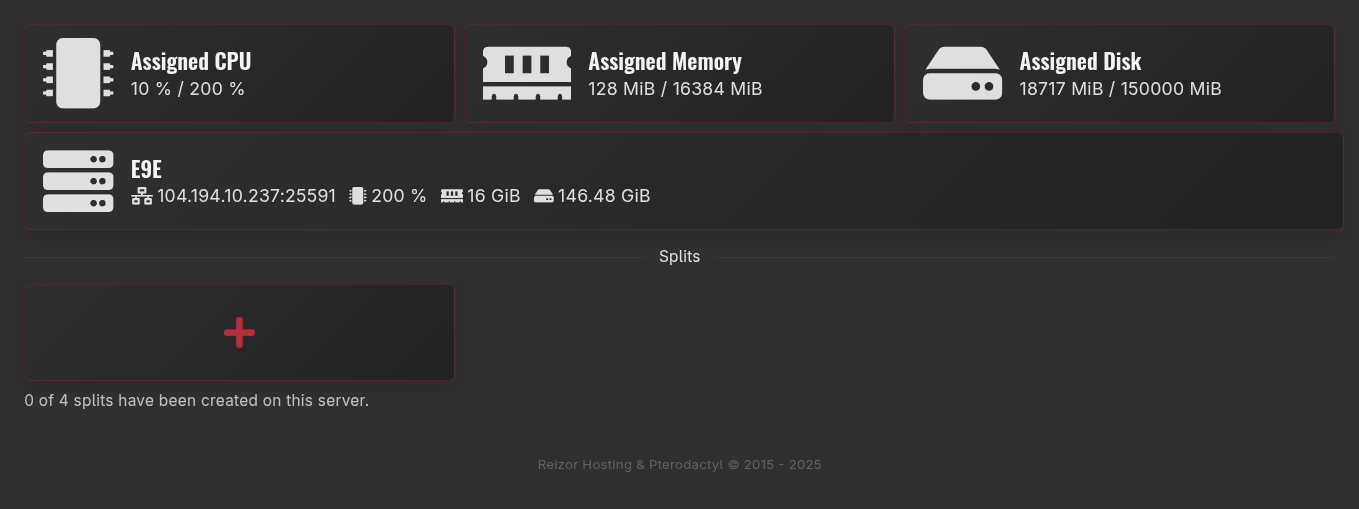
- Select the
+button. - This will open a "Create new Split" window.
- Enter the desired split name.
- Enter a brief description of the split.
- Enter the amount of CPU you want your new split to have.
- This will limit the new instances CPU usage.
- Enter the amount of RAM you want your new split to use.
- This will limit the new instances RAM usage.
- Disk
- Allocations
- Backups
- Select the game you wish to install.
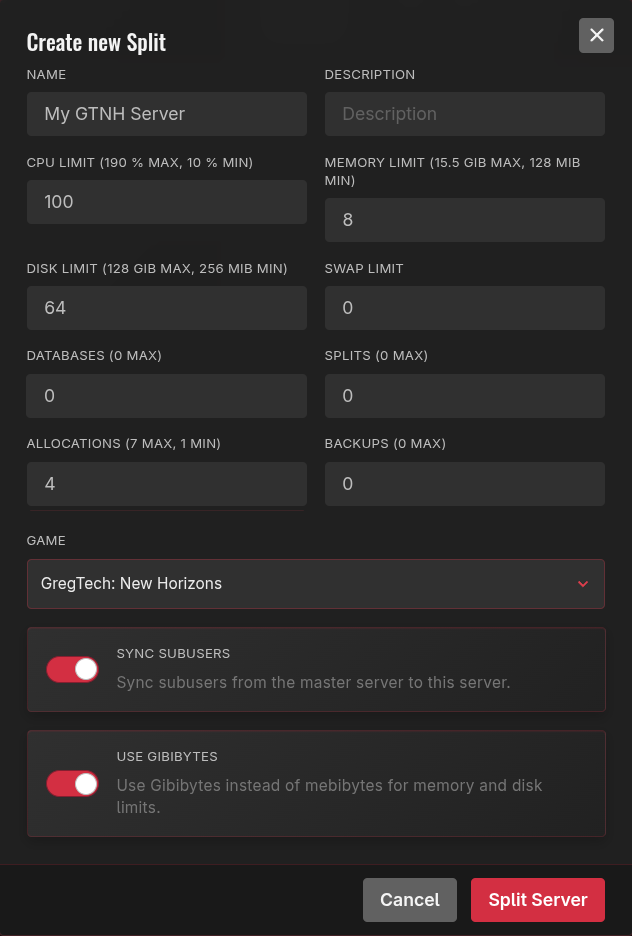
- Click the
Split Serverbutton. - This will create your new split under the
Splits. - The new split should be running. You can view it in your list of servers in our panel
Removing a Split
- Go to the panel
- Select your main server.
- Open the
Splittertab. - Click the Split you want to delete.
- A menu will appear with a delete option at the bottom.
- When you click the delete option a prompt will appear to make sure you want to delete the information.
Next Steps
- Set up schedules
- Learn file management